Dreamina Canvas Tutorial: I Made a Black Friday Film Ad Without Filming
By Ai Lockup
Published: Nov 12, 2026
Want to try Seedance 2.5 on Dreamina for just $0.29? Register through my link to unlock the offer.
Try Dreamina: https://dreamina.capcut.com/pricing/dreamina-seedance-price?utm_medium=social&utm_source=youtube&utm_campaign=ltm_ailockup&utm_content=dreaminaonly29centsLearn how to use Dreamina Canvas to make a cinematic AI car commercial from scratch—without filming. In this Dreamina Canvas tutorial, I build a fictional Black Friday ad using AI concept art, storyboards, Seedance video generation, the 3D Director Console, and timeline editing.
? Join Our Community
Telegram: https://t.me/ailockupofficial
Discord: https://discord.gg/2a9nFvJEPg
Instagram: https://instagram.com/ailockup
Twitter: https://twitter.com/ailockup? Subscribe AI Lockup for more insights into the most innovative AI tools for Ai video generator and new AI tools that can drive your business success: https://www.youtube.com/@AiLockup
? For any Business query mail me on info.ailockup@gmail.com
? Other Videos You Might Enjoy:
LONG AI Video Generator : Create Full AI Movie with Consistent Characters: https://youtu.be/qXMOAG71Nys
Turn One Photo Into an Editable 3D Scene: https://youtu.be/_NNamssICeQ
Turn Storyboards Into AI Films with Consistent Characters: https://youtu.be/GLJr5sFhl20
I’ll walk through the full Dreamina AI video workflow, from designing the car and planning each shot to directing camera movement and assembling the final commercial. I’ll also show how an AI agent can help create extra campaign assets from the same Canvas project.
Chapters
00:00 Making a car commercial without filming
01:06 Dreamina Canvas walkthrough
01:48 Designing the car with AI
03:05 Planning the commercial and creative brief
05:02 Building the visual storyboard
06:02 Generating scenes with Seedance 2.5
06:57 Directing shots with the 3D Director Console
09:30 Creating a scene with an AI agent
10:40 Assembling and editing the final video
12:15 Making extra Black Friday campaign assets
13:16 Dreamina Canvas workflow recapThe video mentions a limited-time Seedance offer. Check the linked offer for current price and terms before signing up.
#Seedance2 #DreaminaOnly29Cents, #Dreamina, #DreaminaPartner, #seedance25
Which part of the workflow would you try first: storyboarding, 3D direction, or generating the scenes?
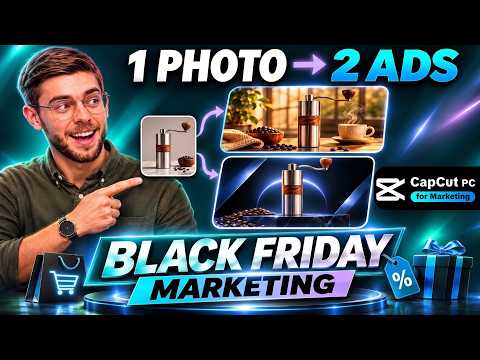
[#AI #Tutorials #Models] Black Friday Marketing: Make 2 Ads with CapCut AI Video Editor
Black Friday Marketing: Make 2 Ads with CapCut AI Video Editor
By Ai Lockup
Published: Nov 11, 2026
Try CapCut PC : https://www.capcut.com/tools/capcut-black-friday-sale?download_channel=capcutpc_kol&utm_medium=social&utm_source=youtube&utm_campaign=AiLockup&utm_content=pc_marketing
How to Make Two Black Friday Marketing Ads in CapCut From One Photo. Make two Black Friday ads in CapCut from one product photo and one shared timeline. In this CapCut AI video editor tutorial, I use Video Studio to create product images and video clips, then turn one master edit into 2 cozy Black Friday ads. To learn more about black friday marketing watch How to Make Two Black Friday Ads in CapCut From One Photo.
? Join Our Community
Telegram: https://t.me/ailockupofficial
Discord: https://discord.gg/2a9nFvJEPg
Instagram: https://instagram.com/ailockup
Twitter: https://twitter.com/ailockup? Subscribe AI Lockup for more insights into the most innovative AI tools for Ai video generator and new AI tools that can drive your business success: https://www.youtube.com/@AiLockup
? For any Business query mail me on info.ailockup@gmail.com
? Other Videos You Might Enjoy:
Dreamina Canvas Tutorial: I Made a Black Friday Film Ad Without Filming: https://youtu.be/OnAVAxlHH2U
AI Ad Maker Tutorial | Turn One Product Photo into a Fashion Ad with an AI Video Editor CapCut PC: https://youtu.be/0NE2XWsApN4
AI Ad Generator + AI Video Editor | Turn One Product Photo Into a Full Ad: https://youtu.be/ZxFYoKwQN1o
See the CapCut AI video Editor workflow, Seedance 2.5 clips, AI Extend for a smoother coffee pour, product sound effects, timeline duplication, voice cleanup, Auto Captions, beat sync, and Text to Speech.
Chapters
00:00 Black Friday marketing: one photo, two ads
00:39 CapCut Video Studio and the AI video editor workflow
01:05 Create product images in CapCut Video Studio
02:30 Generate product clips with Seedance 2.5
03:20 Build a neutral master timeline
03:45 Edit Video with CapCut AI
04:21 Add CapCut sound effects
04:55 Duplicate the CapCut timeline
05:17 Make the cozy Morning Ritual ad
06:51 Make the fast Grind Friday ad
07:16 Create Voiceover using Text to Speech
08:10 Compare and export both ads
08:37 Try CapCut AI to Create Black Friday ads
#CapCutPC #CapCutDidThat #capcutmarketing #capcutsale #chatwithcapcutagent
Thanks for watching How to Make Two Black Friday Ads in CapCut From One Photo.
[#Video #Editing] Premiere JUST Destroyed Color Wheels
Premiere JUST Destroyed Color Wheels
By Olufemii
Published: Nov 08, 2026
? Charge More Without Losing Clients, my short workshop on raising your rates: https://www.olufemii.com/charge-more-money-workshop
Premiere’s new Color Mode shipped with no lift, gamma and gain wheels and no curve control. Colorists noticed right away. I wanted to know why Adobe left them out on purpose, and whether the people complaining or the people cheering have it right.
With Alexis Van Hurkman, who designed Color Mode and wrote the Color Correction Handbook, and Jason Druss, who runs marketing for Color Mode at Adobe and spent years as a colorist before that.
CHAPTERS
0:00 Where are the curves?
1:09 Where the wheels came from
3:09 The pitch to Adobe
5:30 The backlash, and who came around
6:34 Why no curves
7:07 What is a zone?
9:26 The curves are still in there
12:03 The reset for editors
14:13 Having an opinionSOURCES
No Film School podcast with Jason Druss
Colorist Society podcast with Alexis Van Hurkman
Adobe Color Mode support videos with Alexis Van Hurkman
Adobe, Color Mode First Look
The Post Flow (Alex Bartz)
ProVideo Coalition (Scott Simmons)
Mixing Light
Adobe Community forumColor Mode is in the Premiere beta right now. Learn it, but don’t bill a client on beta features yet.
#PremierePro #ColorGrading #VideoEditing
[#Video #Design] FREE Digitized 19th Century Fonts?! | Motion Mondays
FREE Digitized 19th Century Fonts?! | Motion Mondays
By School of Motion
Published: Nov 05, 2026
These are the core features of VS Code I would show a friend who was just starting in the dev industry.
Checkout the Epomaker keyboard here https://epomaker.com/products/epomaker-g84-he?utm_source=promotion&utm_medium%3D25_10_11&utm_campaign%3DLearnWebCode
Check out my new AI & PHP course https://learnwebcode.com/ai-course/
Instagram: https://www.instagram.com/javaschiff/
My Website: https://learnwebcode.com/
Twitter: https://twitter.com/learnwebcode
Facebook: https://www.facebook.com/Brad-Schiff-1542576316048470/
Twitch: https://www.twitch.tv/learnwebcode0:00 Intro
1:59 First Open
3:22 Free Agentic AI Copilot Features
7:21 Keyboard Shortcuts & Command Palette
10:17 Customizing Your VS Code
11:54 Color Theme
14:39 Custom Fonts & Ligatures
16:05 Emmet Tag Triggers
17:42 Next Matching Selection (Multiple Cursors)
18:17 Markdown Live Preview
19:12 Split Panel Editing
19:56 Automatic Indenting / FormattingFont Revival is a free collection of fonts, ornaments, and decorative cuts from 19th century printing, brought back as usable digital assets! ??
Get the full scoop on Motion Mondays! ?? https://som.bz/4eKGyU5
[#AI #Tutorials #Models] 5 Best FREE AI Voice Generators in 2026 (Realistic Text to Speech)
5 Best FREE AI Voice Generators in 2026 (Realistic Text to Speech)
By Ai Lockup
Published: Nov 06, 2026
Looking for the best AI Text to Voice Generator in 2026? In this video, I test 5 powerful AI voice generators that turn text into realistic, natural-sounding human speech. The best free text to speech AI tools, including Qwen TTS, Cartesia AI, Fish Audio, Google Text to Speech, and ElevenLabs. These AI text to speech generators let you create realistic voiceovers, clone voices, and convert text to audio for YouTube videos, podcasts, audiobooks, and more. Watch this complete comparison to find the best text to voice software for your needs, whether you want free AI voices, realistic speech, or professional-quality voice generation.
? Tools used in this Text To Speech Voice Generator AI:
Try Eleven Labs Free :https://cutt.ly/IyIMIvx3
Google AI Studio
Fish Audio
Qwen? Join Our Community
Telegram: https://t.me/ailockupofficial
Discord: https://discord.gg/2a9nFvJEPg
Instagram: https://instagram.com/ailockup
Twitter: https://twitter.com/ailockup? Subscribe AI Lockup for more insights into the most innovative AI tools for Ai video generator and new AI tools that can drive your business success: https://www.youtube.com/@AiLockup
? For any Business query mail me on info.ailockup@gmail.com
? Other Videos You Might Enjoy :
The Easiest AI Video Business Model for Social Media Creators ( No Camera , No Editing ) : https://youtu.be/OUYjuXRYnXI
Create UNLIMITED AI Videos for FREE Using 05 AI Video Generation Tool! Without Watermark : https://youtu.be/7CCHTf3-woQ
Free & Unlimited | How to Create Stickman Animation with AI : https://youtu.be/GtHrbqeKcmk
This AI Music Generator Is INSANE! Create Songs, Clone Voices & Make Music Videos : https://youtu.be/mGBhSiC8QqsVideo Breakdown :
00:00 05 Text To Voice Generator AI
01:45 Qwen TTS : Text To Voice
03:45 Cartesia AI Voice Generator
05:10 Fish Audio : Clone and Create Realistic Voice using AI
06:44 Google Free Text To Voice Generator
08:46 Eleven labs : Best AI Voice GeneratorWhat You Will Learn in This Video
1. Discover 5 best AI text to voice generators.
2. Convert text to realistic human-like speech.
3. Generate AI voices using Qwen TTS.
4. Create natural-sounding voices with Cartesia AI.
5. Clone voices using Fish Audio.
6. Explore Google Text to Speech and ElevenLabs.Thanks for watching I Tested 5 AI Voice Generators – The Results Are INSANE | Text To Speech.
[#Video #Design] Did you know you can paste assets from Illustrator straight into Cavalry? ? | Quick Tip
Did you know you can paste assets from Illustrator straight into Cavalry? ? | Quick Tip
By School of Motion
Published: Nov 04, 2026
These are the core features of VS Code I would show a friend who was just starting in the dev industry.
Checkout the Epomaker keyboard here https://epomaker.com/products/epomaker-g84-he?utm_source=promotion&utm_medium%3D25_10_11&utm_campaign%3DLearnWebCode
Check out my new AI & PHP course https://learnwebcode.com/ai-course/
Instagram: https://www.instagram.com/javaschiff/
My Website: https://learnwebcode.com/
Twitter: https://twitter.com/learnwebcode
Facebook: https://www.facebook.com/Brad-Schiff-1542576316048470/
Twitch: https://www.twitch.tv/learnwebcode0:00 Intro
1:59 First Open
3:22 Free Agentic AI Copilot Features
7:21 Keyboard Shortcuts & Command Palette
10:17 Customizing Your VS Code
11:54 Color Theme
14:39 Custom Fonts & Ligatures
16:05 Emmet Tag Triggers
17:42 Next Matching Selection (Multiple Cursors)
18:17 Markdown Live Preview
19:12 Split Panel Editing
19:56 Automatic Indenting / FormattingMy Site: https://learnwebcode.com/
Twitter: https://twitter.com/learnwebcode
Facebook: https://www.facebook.com/Brad-Schiff-1542576316048470/
Twitch: https://www.twitch.tv/learnwebcode
Instagram: https://www.instagram.com/javaschiff/Did you know you can paste assets from Illustrator straight into Cavalry? ?
Cavalry Kickstart is FULL of time-saving tips and tricks, aimed at getting you using Cavalry like a pro as quickly as possible.
Find out more ?? https://som.bz/48heMeR
[#Video #Editing] Adobe’s Best Secrets Are Hiding in Plain Sight
Adobe’s Best Secrets Are Hiding in Plain Sight
By Olufemii
Published: Nov 04, 2026
Every year at Adobe MAX, Adobe’s own researchers walk on stage and demo tools that don’t exist yet. They call it Sneaks. Most of it never ships. But some of the features you use every week started right there, years before they showed up in Premiere or After Effects.
In this one I follow a few of those demos from the stage to the menu. That includes the 2016 voice demo with Jordan Peele that Adobe never released, and how the same researcher came back with Enhance Speech, a tool nobody asked for that hit a million users in months. Then I get into what all this means for what we charge as editors.
? Charge More Without Losing Clients, my short workshop on raising your rates: https://www.olufemii.com/charge-more-money-workshop
CHAPTERS
0:00 The tool nobody asked for
0:50 What Adobe Sneaks is
2:36 Project Cloak to Content-Aware Fill
3:48 My workshop
4:05 Project VoCo and Jordan Peele (2016)
5:27 Zeyu Jin’s second act
7:46 Enhance Speech goes viral
9:09 The speed run: Sneaks that shipped
12:25 Why the “boring” demos win
14:26 What this means for what you charge
15:17 The one to watch nextSOURCES
Adobe MAX Sneaks 2016, 2017, 2018, 2019, 2022, 2023, 2024 and 2025 (Adobe)
Adobe Research, Behind the Tech: Zeyu Jin
Adobe product videos: Content-Aware Fill, Roto Brush 2, Auto Reframe, Text-Based Editing, Generate Sound Effects
Lex Fridman Podcast, Gavin Miller (2019)
School of Motion Podcast, Victoria Nece (2020)
New Media Show, Mark Webster (2025)
The Neuron: AI Explained, Ely Greenfield (2025)
BBC News (November 2016), Engadget (October 2017)
BuzzFeed Video and Monkeypaw Productions (April 2018)#AdobeMAX #PremierePro #VideoEditing
[#AI #Tutorials #Models] Can AI Agents Really Run a YouTube Channel? I Built One to Find Out
Can AI Agents Really Run a YouTube Channel? I Built One to Find Out
By Ai Lockup
Published: Nov 04, 2026
Can AI agents automate a YouTube channel? In this step by step tutorial, I builded a YouTube automation workflow with AI agents and show the process from choosing a niche to scheduling a finished YouTube Short. To learn more about this YouTube Agent watch YouTube Automation With AI Agent tutorial.
Try NaiveAI: https://usenaive.ai/
? Join Our Community
Telegram: https://t.me/ailockupofficial
Discord: https://discord.gg/2a9nFvJEPg
Instagram: https://instagram.com/ailockup
Twitter: https://twitter.com/ailockup? Subscribe AI Lockup for more insights into the most innovative AI tools for Ai video generator and new AI tools that can drive your business success: https://www.youtube.com/@AiLockup
? For any Business query mail me on info.ailockup@gmail.com
? Other Videos You Might Enjoy:
LONG AI Video Generator : Create Full AI Movie with Consistent Characters: https://youtu.be/qXMOAG71Nys
Turn One Photo Into an Editable 3D Scene: https://youtu.be/_NNamssICeQ
Turn Storyboards Into AI Films with Consistent Characters: https://youtu.be/GLJr5sFhl20
See how to use AI to make YouTube videos with a team that handles trend research, channel planning, scriptwriting, video rendering, and scheduling. I also show where an agent gets stuck, how human approval works, and how to check the spend. This is a workflow demonstration with one generated Short, not proof of future views, channel growth, or income.
Chapters:
00:00 The AI agent-made YouTube Short
00:57 What YouTube automation with AI agents means
01:15 Introduce to Nive AI.
01:25 Set up an AI team for YouTube
01:41 Choose a niche and set a channel plan
02:37 Meet the six AI agents
03:11 Connect YouTube and open the workflow board
04:23 How AI agents move tasks through the board
04:42 Set routines and channel plans
05:07 AI scriptwriting and video rendering
05:33 Review and approve the YouTube post
06:55 The ongoing AI content workflow
07:36 What this AI YouTube setup does and doesn’t proveIf this was useful, subscribe and tell me which niche you’d build first.
[#Video #Editing] BEST Audio update in Pr
BEST Audio update in Pr
By Olufemii
Published: Nov 03, 2026
Every year at Adobe MAX, Adobe’s own researchers walk on stage and demo tools that don’t exist yet. They call it Sneaks. Most of it never ships. But some of the features you use every week started right there, years before they showed up in Premiere or After Effects.
In this one I follow a few of those demos from the stage to the menu. That includes the 2016 voice demo with Jordan Peele that Adobe never released, and how the same researcher came back with Enhance Speech, a tool nobody asked for that hit a million users in months. Then I get into what all this means for what we charge as editors.
? Charge More Without Losing Clients, my short workshop on raising your rates: https://www.olufemii.com/charge-more-money-workshop
CHAPTERS
0:00 The tool nobody asked for
0:50 What Adobe Sneaks is
2:36 Project Cloak to Content-Aware Fill
3:48 My workshop
4:05 Project VoCo and Jordan Peele (2016)
5:27 Zeyu Jin’s second act
7:46 Enhance Speech goes viral
9:09 The speed run: Sneaks that shipped
12:25 Why the “boring” demos win
14:26 What this means for what you charge
15:17 The one to watch nextSOURCES
Adobe MAX Sneaks 2016, 2017, 2018, 2019, 2022, 2023, 2024 and 2025 (Adobe)
Adobe Research, Behind the Tech: Zeyu Jin
Adobe product videos: Content-Aware Fill, Roto Brush 2, Auto Reframe, Text-Based Editing, Generate Sound Effects
Lex Fridman Podcast, Gavin Miller (2019)
School of Motion Podcast, Victoria Nece (2020)
New Media Show, Mark Webster (2025)
The Neuron: AI Explained, Ely Greenfield (2025)
BBC News (November 2016), Engadget (October 2017)
BuzzFeed Video and Monkeypaw Productions (April 2018)#AdobeMAX #PremierePro #VideoEditing
This new Premiere update allows you to split a single audio files to all of its elements.
[#Video #Editing] The Greatest Spec Job Ever Sold
The Greatest Spec Job Ever Sold
By Olufemii
Published: Nov 03, 2026
For 10 years, Doritos ran Crash the Super Bowl. Anyone could make a 30-second ad, and the winner aired during the biggest game on TV. Some people won a million dollars. Some got studio deals. One winner was a millionaire for less than 24 hours. And more than 30,000 people made Doritos an ad for nothing.
This is the story of the contest, the people on both sides of it, and what it means the next time a client asks you for a free test edit.
? Charge More Without Losing Clients, my short workshop on raising your rates: https://www.olufemii.com/charge-more-money-workshop
Chapters
0:00 Two guys win $1,000,000
1:14 2006: a chip brand in trouble
2:06 Doritos raises the stakes
3:05 The big break
3:34 A millionaire for 24 hours
4:46 The case against spec work
5:46 The other side
6:44 Is free work ever worth it?
7:36 How I think about it now
8:32 Who’s keeping the chips?Featuring
Ann Mukherjee, Jonathan Friedman, Mark Freiburger, Kevin Willson, Scott Belsky, Ana Masoud, Patrick Llewellyn (99designs), John Winsor (Victors & Spoils), Shannyn Lee, Dylan Bradshaw & Nate NorellClips from news reports, podcasts and official Doritos and PepsiCo ads are used for commentary and criticism. All credit to the original creators and outlets.
#freelancing #videoediting #superbowl