[#AfterEffects #Video] No camera available? Use the Filmic Pro phone app & Frame.io @AdobeVideo | Cinecom #Shorts

No camera available? Use the Filmic Pro phone app & Frame.io @AdobeVideo | Cinecom #Shorts

By Cinecom.net
Published: Mar 30, 2023


Cinecom.net No camera available? Just use the Filmic Pro app on your phone and send clips straight to your editor using the Camera to Cloud feature in Frame.io

🔴 FULL VIDEO
â–º

👕 MERCH
â–º https://cinecom.net/merch

🎬 Check our Award Winning Courses
â–º https://cinecom.net/courses

💙 LETS CONNECT!
Instagram â–º http://cinecom.info/Instagram
Discord â–º http://discord.gg/Cinecom

💥 Don’t get over-charged with expensive pay-per-clip pricing. Embrace the freedom of an unlimited library with Storyblocks
â–º http://storyblocks.com/Cinecom

#Cinecom #AdobePartner #Adobe

Eric Brooks

Eric Brooks

Web & Graphic Designer, Blogger, Musician, Evil Clown. I also code websites and promote people for a living. Still kind of a jerk, though. Approach with food.

More Posts - Website

Follow Me:Add me on XAdd me on FacebookAdd me on LinkedInAdd me on PinterestAdd me on YouTubeAdd me on Instagram

[#Script #Coding] One Click Convert Web App to Mobile Application

One Click Convert Web App to Mobile Application

By Adam Khoury
Published: Dec 17, 2022


Adam Khoury Demonstration using a one-click web-based conversion tool that makes app store files for you from a web application built using JavaScript, CSS and HTML.

Eric Brooks

Eric Brooks

Web & Graphic Designer, Blogger, Musician, Evil Clown. I also code websites and promote people for a living. Still kind of a jerk, though. Approach with food.

More Posts - Website

Follow Me:Add me on XAdd me on FacebookAdd me on LinkedInAdd me on PinterestAdd me on YouTubeAdd me on Instagram

Top Headlines for April 11, 2023

Headline News from the Associated Press

Alibaba to roll out generative AI across apps, Beijing flags new rules


Markets

World stocks hold on to upbeat mood, dollar stalls

Britain braces for ‘unparalleled’ disruption from doctors’ strike


Technology

Dell forecasts upbeat revenue on strong PC demand

Battle over Biden labor nominee Julie Su heats up


Deals

Santander to raise stake in Mexican unit to 99.8%, delist shares

Eric Brooks

Eric Brooks

Web & Graphic Designer, Blogger, Musician, Evil Clown. I also code websites and promote people for a living. Still kind of a jerk, though. Approach with food.

More Posts - Website

Follow Me:Add me on XAdd me on FacebookAdd me on LinkedInAdd me on PinterestAdd me on YouTubeAdd me on Instagram

[#Script #Coding] 🔥 VS Code: Edit Like A Pro

🔥 VS Code: Edit Like A Pro

By codeSTACKr
Published: Mar 22, 2023


codeSTACKr 🦸 Become A VS Code SuperHero Today: https://vsCodeHero.com
🧑🏾‍🤝‍🧑🏽 Join my Discord developer community: https://discord.gg/A9CnsVzzkZ

Let’s say you’ve copied a list of “things” you want to add into an unordered list on your HTML page. In this case, it’s a bunch of random emojis.
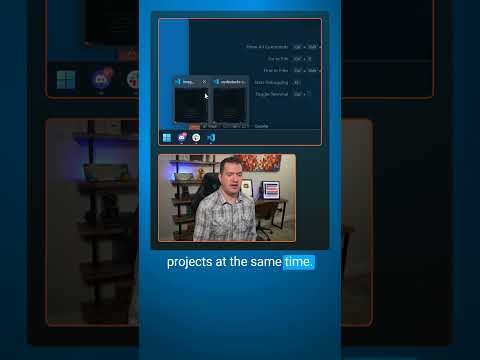
Did you know you can use multiple cursors to quickly add `li` tags to each of these??
There are a couple of ways to go about it:
1. With the cursor on the first item, you can press Ctrl+Alt+Shift+downarrow to add a cursor on each line.
2. Or, highlight all of the lines with your mouse and press Shift+Alt+I to add a cursor to the end of each line. Then arrow back the items.
Then just type the `li` opening tag. It automatically created the closing tag, so I’ll have to move the emoji over by cutting and pasting.
But this is a lot quicker than doing it one line at a time.
Bonus tip: Select each item, press Ctrl+Shift+P to open the command pallet and search for wrap and you’ll see Emmet: Wrap with abbreviation. Press enter, then type `li` and Emmet will automatically wrap them all for you.
_____________________________________

🛠️ Tools I use:
🟠 codeSTACKr Theme: https://marketplace.visualstudio.com/items?itemName=codestackr.codestackr-theme
🟠 STACKr Code Font (Exclusive to my VS Code Course – https://vsCodeHero.com)
🟠 SuperHero Extension Pack: https://marketplace.visualstudio.com/items?itemName=codeSTACKr.superhero-extensions
_____________________________________

💖 Show support!
PayPal: https://paypal.me/codeSTACKr
_____________________________________

👀 Watch Next:
Playlist: Web Development For Beginners – https://www.youtube.com/watch?v=Ez4yHS2dsN8&list=PLkwxH9e_vrAJ0WbEsFA9W3I1W-g_BTsbt
_____________________________________

🌐 Connect With Me:
Website: https://www.codestackr.com
Twitter: https://twitter.com/codeSTACKr
Instagram: https://instagram.com/codeSTACKr
Facebook: https://facebook.com/codeSTACKr
_____________________________________

** Affiliate Disclaimer: Some of the above links may be affiliate links, which may generate me a sales commission at no additional cost to you.

#codeSTACKr #vscode #learntocode

Eric Brooks

Eric Brooks

Web & Graphic Designer, Blogger, Musician, Evil Clown. I also code websites and promote people for a living. Still kind of a jerk, though. Approach with food.

More Posts - Website

Follow Me:Add me on XAdd me on FacebookAdd me on LinkedInAdd me on PinterestAdd me on YouTubeAdd me on Instagram

[#Script #Coding] React Native Course – Android and iOS App Development

React Native Course – Android and iOS App Development

By freeCodeCamp.org
Published: Apr 10, 2023


freeCodeCamp.org Master React Native with this comprehensive course, covering everything from the basics of setup and components to advanced topics like navigation and fetching API data. Learn to build a weather app from scratch, complete with a sleek user interface and real-time data integration, while exploring concepts like state management, hooks, and styling.

💻 Code: https://github.com/Em01/weather-app-demo

✏️ Course created by @codecupdev
🔗 Instagram: https://www.instagram.com/codecup_dev/
🔗 Twitter: https://twitter.com/codecupdev

⭐️ Contents ⭐️
⌨️ (0:00:00) Introduction
⌨️ (0:01:25) What is React Native?
⌨️ (0:03:45) Expo
⌨️ (0:04:22) Setup with Expo
⌨️ (0:06:17) Setting up a custom app
⌨️ (0:10:17) Setting up Android Studio
⌨️ (0:12:03) The directory structure
⌨️ (0:12:42) Setting up linting
⌨️ (0:14:33) Setting up Prettier
⌨️ (0:16:35) Debugging
⌨️ (0:18:17) Native components
⌨️ (0:19:00) Core components
⌨️ (0:20:17) JSX
⌨️ (0:21:29) Working with components
⌨️ (0:21:57) What are components
⌨️ (0:23:08) Creating our first component
⌨️ (0:26:50) Styling basics
⌨️ (0:31:17) Layout props
⌨️ (0:32:37) The current weather screen
⌨️ (0:40:17) Adding icons to the screen
⌨️ (0:42:40) Components
⌨️ (0:46:01) Reviewing what we have learnt so far
⌨️ (0:48:52) Creating the upcoming weather component
⌨️ (0:52:17) Introducing lists
⌨️ (1:19:17) Implementing our list
⌨️ (1:09:10) Key extractors
⌨️ (1:11:41) Other FlatList props
⌨️ (1:15:01) Styling our FlatList
⌨️ (1:19:23) Images
⌨️ (1:22:31) Using an image in the upcoming weather component
⌨️ (1:24:10) ImageBackground
⌨️ (1:26:05) Props
⌨️ (1:35:17) Refactoring what we have done so far
⌨️ (1:43:04) Implementing the city screen
⌨️ (2:00:17) Refactoring the city screen
⌨️ (2:15:32) Refactoring the current weather screen
⌨️ (2:26:25) Introducing Navigation
⌨️ (2:34:37) Implementing tabs in our app
⌨️ (2:40:02) Styling our tabs
⌨️ (2:47:27) Extracting the tabs
⌨️ (3:06:55) State
⌨️ (3:15:07) The useState hook
⌨️ (3:19:24) Hooks
⌨️ (3:23:24) The useEffect hook
⌨️ (3:32:05) Adding a loading state
⌨️ (3:38:31) Using the open weather map api
⌨️ (3:39:31) Getting the users location
⌨️ (3:47:36) Seting up fetching the api data
⌨️ (3:52:38) Fetching the Api data
⌨️ (4:01:17) Making our own hook
⌨️ (4:05:17) Passing the data to our components
⌨️ (4:08:42) Updating current weather to use the data
⌨️ (4:14:32) Updating the upcoming weather to use the data
⌨️ (4:18:17) Installing Moment
⌨️ (4:21:17) Updating the city component
⌨️ (4:25:53) Creating the error screen
⌨️ (4:31:42) Some last refactoring
⌨️ (4:33:59) Bonus material

🎉 Thanks to our Champion and Sponsor supporters:
👾 Nattira Maneerat
👾 Heather Wcislo
👾 Serhiy Kalinets
👾 Erdeniz Unvan
👾 Justin Hual
👾 Agustín Kussrow
👾 Otis Morgan

Learn to code for free and get a developer job: https://www.freecodecamp.org

Read hundreds of articles on programming: https://freecodecamp.org/news

Eric Brooks

Eric Brooks

Web & Graphic Designer, Blogger, Musician, Evil Clown. I also code websites and promote people for a living. Still kind of a jerk, though. Approach with food.

More Posts - Website

Follow Me:Add me on XAdd me on FacebookAdd me on LinkedInAdd me on PinterestAdd me on YouTubeAdd me on Instagram

Top Headlines for April 10, 2023

Headline News from the Associated Press

Asian shares muted, dollar buoyant on odds of rate rise


Markets

Factbox-Possible next steps for BOJ policy under new governor

China practices blockades on last scheduled day of Taiwan drills


Technology

Dell forecasts upbeat revenue on strong PC demand

Democratic lawmaker Ocasio-Cortez wants US Supreme Court Justice Thomas impeached


Deals

UAE’s e& takes $400 million majority stake in ride-hailer Careem’s Super App

Eric Brooks

Eric Brooks

Web & Graphic Designer, Blogger, Musician, Evil Clown. I also code websites and promote people for a living. Still kind of a jerk, though. Approach with food.

More Posts - Website

Follow Me:Add me on XAdd me on FacebookAdd me on LinkedInAdd me on PinterestAdd me on YouTubeAdd me on Instagram

[#Script #Coding] Learn Vite – Frontend Build Tool Course

Learn Vite – Frontend Build Tool Course

By freeCodeCamp.org
Published: Mar 23, 2023


freeCodeCamp.org Learn how to use Vite, a build tool and development server designed specifically for modern web development. This course covers various topics, including creating a static server, using templates, integrating Tailwind, using environment variables, deploying to GitHub, Netlify, and Vercel, and configuring Vite. It also discusses the features of Vite, including hot module replacement and static asset handling.

✏️ Course created by @KhattakDev
YouTube: https://youtube.com/khattakdev
Twitter: https://twitter.com/khattakdev
Instagram: https://www.instagram.com/khattakdev

⭐️ Contents ⭐️
⌨️ (0:00:00) Start
⌨️ (0:00:22) Learning Objectives
⌨️ (0:01:29) Introduction
⌨️ (0:02:50) What makes it fast?
⌨️ (0:04:49) Creating Static Server
⌨️ (0:17:29) Using Templates
⌨️ (0:24:39) Tailwind Integration
⌨️ (0:32:30) Env Variables
⌨️ (0:40:58) Deployments
⌨️ (1:00:22) Configurations
⌨️ (1:30:35) Wrap Up

🎉 Thanks to our Champion and Sponsor supporters:
👾 Nattira Maneerat
👾 Heather Wcislo
👾 Serhiy Kalinets
👾 Erdeniz Unvan
👾 Justin Hual
👾 Agustín Kussrow
👾 Otis Morgan

Learn to code for free and get a developer job: https://www.freecodecamp.org

Read hundreds of articles on programming: https://freecodecamp.org/news

Eric Brooks

Eric Brooks

Web & Graphic Designer, Blogger, Musician, Evil Clown. I also code websites and promote people for a living. Still kind of a jerk, though. Approach with food.

More Posts - Website

Follow Me:Add me on XAdd me on FacebookAdd me on LinkedInAdd me on PinterestAdd me on YouTubeAdd me on Instagram

[#Video #Editing] 10 Easy After Effects Expression Hacks YOU NEED To Know

10 Easy After Effects Expression Hacks YOU NEED To Know

By Olufemii
Published: Apr 07, 2023


Olufemii 🔥 Scribble Fonts: https://bit.ly/3krU5E9
🔥 Film Grain Builder: https://bit.ly/3wJzdx2
🔥 Scribble Accents: https://bit.ly/3wC6JVF

In this tutorial, we explore 10 easy After Effects expressions that you NEED to know! These expressions can save you tons of time and help you create dynamic animations without the hassle of endless keyframing. From loop expressions and wiggle to linking properties and adjusting frame rates, these hacks will make your workflow smoother and your projects more professional. Plus, we provide a handy link with all the expressions in the description, so you can quickly reference and copy-paste them. Unlock your full potential and start creating amazing animations today!

⏰ Timestamps:
0:00:18 Loop Out
0:01:01 Loop Out Variations
0:01:17 Wiggle
0:02:45 Lasso to a Slider (Part 1)
0:03:38 Bake Expressions
0:04:02 The Ferris Wheel Effect
0:04:41 Lasso (Part 2) – Properties
0:05:29 Time Expression
0:06:59 Adding Keyframes with Time Expression
0:07:16 Bury the Frame Rate
0:07:41 Lassoing to Another Comp

Expressions Reference: https://www.shawnkanderson.com/tutorials/top10easyexpressions
📷 Follow Shawn on Instagram here: https://www.instagram.com/shawnkanderson/
➡️ Subscribe Here: http://bit.ly/3l9hPjK

Eric Brooks

Eric Brooks

Web & Graphic Designer, Blogger, Musician, Evil Clown. I also code websites and promote people for a living. Still kind of a jerk, though. Approach with food.

More Posts - Website

Follow Me:Add me on XAdd me on FacebookAdd me on LinkedInAdd me on PinterestAdd me on YouTubeAdd me on Instagram

Top Headlines for April 09, 2023

Headline News from the Associated Press

Swiss finance minister sees no ‘stumbling blocks’ to UBS takeover of Credit Suisse


Markets

Ex-BOJ deputy governor Nakaso predicts tweak or end to YCC -Nikkei

China simulates striking Taiwan on second day of drills


Technology

Dell forecasts upbeat revenue on strong PC demand

Ron DeSantis takes aim at Disney, vows to void Florida theme park development agreement


Deals

Unstable markets drag Canadian M&A, debt issuance to four-year low

Eric Brooks

Eric Brooks

Web & Graphic Designer, Blogger, Musician, Evil Clown. I also code websites and promote people for a living. Still kind of a jerk, though. Approach with food.

More Posts - Website

Follow Me:Add me on XAdd me on FacebookAdd me on LinkedInAdd me on PinterestAdd me on YouTubeAdd me on Instagram

[#Photoshop #Tutorial] 🐈 Fur Text Effect In Photoshop

🐈 Fur Text Effect In Photoshop

By Photoshop Training Channel
Published: Mar 14, 2023


Photoshop Training Channel How to look better on Zoom using Photoshop! Discover this little know trick that allows you to “Photoshop” your Zoom calls to make them more visually appealing.

This technique also works on Google Hangouts, Microsoft Teams, Skype, or any other video call platform.

I hope you learn a lot!

🎯 SUBSCRIBE to get more amazing Photoshop tutorials!
â–º https://hi.switchy.io/Subscribe-to-PTC

📘 INDEX – How To Look Better on Zoom
00:00 – Introduction
00:24 – Take your Zoom Screenshot Into Photoshop
00:00 – Create Your Color Adjustments
02:51 – Export Your Color Adjustment As a LUT File
03:45 – Install OBS Studio
04:05 – Set Up OBS
05:17 – Save the LUT as a PNG
06:20 –  Use The OBS Virtual Camera on Zoom
06:52 – Create Overlays To Use on Your Zoom Call

🔗 LINKS:

My New Podcast â–º https://smartpa.ge/todayscreator

Premium Tutorials â–º http://ptcvids.com/shop

Become an Adobe Stock Contributor â–º https://swiy.co/Stock-Contributor  

💾 TUTORIAL DOWNLOAD
â–º https://photoshoptrainingchannel.com/how-to-look-better-on-zoom-using-photoshop/

👍 CONNECT
● TikTok â–º https://www.tiktok.com/@jrfromptc 
● Instagram â–º http://instagram.com/photoshoptrainingchannel

📝 CREDITS
● Photoshop video tutorials by Jesus Ramirez

#PhotoshopTutorial #Photoshop #PTCvids

Eric Brooks

Eric Brooks

Web & Graphic Designer, Blogger, Musician, Evil Clown. I also code websites and promote people for a living. Still kind of a jerk, though. Approach with food.

More Posts - Website

Follow Me:Add me on XAdd me on FacebookAdd me on LinkedInAdd me on PinterestAdd me on YouTubeAdd me on Instagram

Proudly powered by WordPress
Creative Commons License
EricBrooks.Com® is licensed under a Creative Commons License.

Disclaimer: The views expressed herein are solely those of Eric Brooks. They do not necessarily reflect those of his employers, friends, contacts, family, or even his pets (though my cat, Puddy, seems to agree with me on many key issues.). In accordance to my terms of use, you hereby acknowledge my right to psychoanalyze you, practice accupuncture, and mock you incessantly with every visit. As the user, you also acknowledge that the author has been legally declared a "Problem Adult" by the Commonwealth of Pennsylvania, and is therefore not responsible for any of his actions. ALSO, the political views and products advertised on this site may/may not reflect the views of Puddy or myself, so please don't take them as an endorsement. We just need to eat.


Connect