“ Stuck in a career rut? Struggling to level up your skills? You can change that starting now. We are stoked to kick off our Winter 2025 registration with tons of opportunities for beginners to get started and for more experienced artists to up their game! Learn more at https://www.schoolofmotion.com/winter2025.
Not sure where to start? We’ve got you covered with our different design tracks:
– 2D Design: https://www.schoolofmotion.com/learning-paths/become-a-designer
– Motion Design: https://www.schoolofmotion.com/learning-paths/become-a-motion-designer
– 3D Animation and Design: https://www.schoolofmotion.com/learning-paths/become-a-3d-animator
Web & Graphic Designer, Blogger, Musician, Evil Clown. I also code websites and promote people for a living. Still kind of a jerk, though. Approach with food.
Hot on the heels of our Black Friday sale, we now have a bunch of AMAZING PRIZES to give away EVERY DAY from Dec 9 – Dec 20th!
Get the full deets and entry requirements right here ?? https://som.bz/3VNEDF5
Extra special thanks go to our amazing sponsors: Adobe, ActionVFX, aescripts + aeplugins, Artlist, Greyscalegorilla, Maxon, Motion Array, Rocket Lasso, Scene Group, The Pixel Lab and Xencelabs!
Web & Graphic Designer, Blogger, Musician, Evil Clown. I also code websites and promote people for a living. Still kind of a jerk, though. Approach with food.
“ Learn how to create 3D models in your web-browser!
NOTE: Our School of Motion 25%-Off Black Friday Sale ends today (12/4/2024) @ 5PM ET! Don’t miss this chance to save big: https://schoolofmotion.com/blackfiday
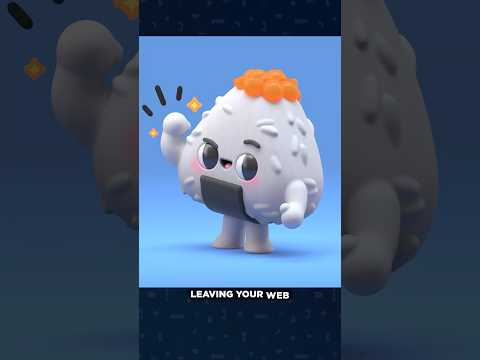
Want to start creating in 3D but feeling intimidated? Meet Womp – the browser-based 3D tool that makes modeling fun and accessible! In this tutorial,EJ Hassenfratz will show you how to create an adorable onigiri (rice ball) character while teaching you all the essential tools and features of Womp 3D.
Use promo code MOTIONWOMP24 to get 10% off 3D printing on Womp.com!
Don’t forget to grab the project files so that you can follow along: https://www.schoolofmotion.com/blog/3d-womp-tutorial
CHAPTERS:
00:00 Intro
00:23 Womp Tour
03:43 Starting from Scratch
04:58 Gooping Shapes
07:11 Negative Form
09:11 Creating the Seaweed Wrap
14:07 Creating Legs and Feet
18:27 Creating the Arms
20:40 Working with Hierarchy
26:26 Creating the Mouth
29:36 Materials
34:57 Lighting
36:13 Add Stickers
38:00 Wrap Up
Web & Graphic Designer, Blogger, Musician, Evil Clown. I also code websites and promote people for a living. Still kind of a jerk, though. Approach with food.
“ Want to start creating in 3D but feeling intimidated? Meet Womp!
In his latest tutorial, EJ Hassenfratz will show you how to create an adorable onigiri character while teaching you all the essential tools and features of this browser-based (you read that right!) 3D tool!
Web & Graphic Designer, Blogger, Musician, Evil Clown. I also code websites and promote people for a living. Still kind of a jerk, though. Approach with food.
Web & Graphic Designer, Blogger, Musician, Evil Clown. I also code websites and promote people for a living. Still kind of a jerk, though. Approach with food.
“ LIMITED TIME: Save 25% on individual courses and All-Access until 12/4!
Our Black Friday Sale is happening now, where you’ll save big while filling your brain with motion design and animation awesomeness! Even better, we are opening up a limited number of spots in our new All-Access program, where you get every course we make for one low price!
Learn more at https://schoolofmotion.com/blackfriday
THE DETAILS:
– End Date: Wednesday, December 4, 2023 – 5PM ET
– Discount: 25% off all individual courses and All-Access*
– Use Coupon Code: 25OFF (all caps)
*(does not include Team Training)
This is our biggest sale of the year. Don’t sleep on this!
Web & Graphic Designer, Blogger, Musician, Evil Clown. I also code websites and promote people for a living. Still kind of a jerk, though. Approach with food.
“ This week on the School of Motion Podcast, EJ chats with PJ Richardson, co-founder of Laundry Studio, to dig into the current state of 3D, creative burnout, and what it takes to succeed today:
Check out the corresponding blog post: https://www.schoolofmotion.com/blog/the-state-of-3d-with-pj-richardson
Chapters
00:00:00 Intro
00:00:20 Meet PJ & the Evolution of Motion Design
00:04:18 Expanding Opportunities in Motion Design
00:12:23 The Balance of Specialization vs. Generalization
00:19:24 Navigating Industry Anxiety
00:29:43 The Impact of Social Media on Creativity
00:38:45 3D Software & Tools
00:47:43 AI in the Creative Process: Opportunities and Challenges
01:06:20 Advice for Aspiring Artists
SCHOOL OF MOTION COURSES
All Courses – https://som.bz/3SUg5Yb
Guided Courses – https://som.bz/3LYmJef
Instant Access Courses – https://som.bz/3AWv63C
Cinema 4D Basecamp – https://som.bz/3yMKrmc
Web & Graphic Designer, Blogger, Musician, Evil Clown. I also code websites and promote people for a living. Still kind of a jerk, though. Approach with food.
“ Learn how to set up and use Ollama to build powerful AI applications locally. This hands-on course covers pulling and customizing models, REST APIs, Python integrations, and real-world projects like a Grocery List Organizer, RAG System, and an AI Recruiter Agency. Perfect for developers and AI enthusiasts ready to bring their ideas to life with local LLMs. Don’t miss the exclusive BONUS project at the end!
Course developed by @vincibits
Keep in touch: https://www.vincibits.com/welcome
?? Contents ??
?? (0:00:00) Intro
?? (0:02:00) What Is this course about?
?? (0:03:49) Course Prerequisites
?? (0:05:28) Development Environment Setup
?? (0:06:43) Ollama Deep Dive
?? (0:13:08) Ollama Key Features
?? (0:17:09) Ollama Setup
?? (0:18:03) Download Ollama Locally
?? (0:26:18) Ollama Models – How to Pull Different Ollama Models Locally
?? (0:33:41) LLM Parameters Deep Dive
?? (0:39:39) Understanding Model Benchmarks
?? (0:42:56) Ollama Basic CLI Commands – Pull and Testing Models
?? (0:47:09) Pull in the Llava Multimodal MOdel and Captioning an Image – Hands-on
?? (0:52:13) Summarize and Sentiment Analysis and Customizing Models with the Modelfile
?? (1:00:02) Ollama REST API
?? (1:04:39) Ollama REST API – Request JSON
?? (1:07:59) Ollama Models Support Different Tasks – Summary
?? (1:08:40) Different Ways to Interact with Ollama Models – Overview
?? (1:10:42) Ollama Model Running Under Msty App – Frontend Tool – RAG Hands-on
?? (1:21:46) Introduction to Python Library for Building LLM Applications Locally
?? (1:24:14) Interact with Llama3 in Python using Ollama REST API
?? (1:29:29) Ollama Python Library Chatting with our Model
?? (1:35:42) Chat Example with Streaming
?? (1:37:15) Using Ollama Show Function
?? (1:39:15) Create a Custom Model in Code
?? (1:43:05) Build a Real-world Use case Application – Introduction
?? (1:43:29) Build a LLM App – Grocery List Organizer
?? (1:51:46) Building RAG Systems with Ollama – Overview of RAG Systems and Langchain Crash Course
?? (1:59:24) Deep Dive into Vectorstore and Embeddings – the Whole Picture – Crash Course
?? (2:05:33) Overview of Our PDF RAG System We will be Building
?? (2:07:29) Set up our RAG System – Document Ingestion and Vector DB Creation and Embeddings
?? (2:15:56) RAG System – Retrieval and Querying – Final
?? (2:24:27) RAG System – Cleaner Code (Code Refactoring)
?? (2:26:26) RAG System – Streamlit Version
?? (2:28:00) BONUS for YOU!
?? (2:28:33) Introduction to the Next Application – AI Recruiter Agency
?? (2:29:18) Building the AI Recruiter Agency
?? (2:56:13) Outro – Final Thoughts and Your Bonus – Thank you!
???? Thanks to our Champion and Sponsor supporters:
???? Drake Milly
???? Ulises Moralez
???? Goddard Tan
???? David MG
???? Matthew Springman
???? Claudio
???? Oscar R.
???? jedi-or-sith
???? Nattira Maneerat
???? Justin Hual
—
Learn to code for free and get a developer job: https://www.freecodecamp.org
Read hundreds of articles on programming: https://freecodecamp.org/news
Web & Graphic Designer, Blogger, Musician, Evil Clown. I also code websites and promote people for a living. Still kind of a jerk, though. Approach with food.
Web & Graphic Designer, Blogger, Musician, Evil Clown. I also code websites and promote people for a living. Still kind of a jerk, though. Approach with food.
“ Mark your calendars, because on Friday November 29, School of Motion is having a Black Friday sale, where you’ll save big while filling your brain with motion design and animation awesomeness! Even better, we are opening up a limited number of spots in our new All-Access program, where you get every course we make for one low price (see below).
This is our biggest sale of the year. Don’t sleep on this!
Here are the details:
Sale Begins: Friday, November 29, 2024 – 8AM ET
Sale Ends: Wednesday, December 4, 2024 – 5PM ET
Discount: 25% off all individual courses and All-Access*
Get more info: https://www.schoolofmotion.com/blackfriday
Find out more about the All-Access program here: https://www.schoolofmotion.com/all-access
SCHOOL OF MOTION COURSES
All Courses – https://som.bz/3SUg5Yb
Guided Courses – https://som.bz/3LYmJef
After Effects Courses – https://som.bz/42sBon6
2D Animation – https://som.bz/3VCBtme
3D Courses – https://som.bz/3ArdpZu
Design Courses – https://som.bz/3NGyJCf
Web & Graphic Designer, Blogger, Musician, Evil Clown. I also code websites and promote people for a living. Still kind of a jerk, though. Approach with food.
Disclaimer: The views expressed herein are solely those
of Eric Brooks. They do not necessarily
reflect those of his employers, friends, contacts, family, or even his pets (though my cat,
Puddy,
seems to agree with me on many key issues.). In accordance to my terms of use, you hereby
acknowledge my right to psychoanalyze you, practice accupuncture, and mock you incessantly
with every visit. As the user, you also acknowledge that the author has been legally declared
a "Problem Adult" by the Commonwealth of Pennsylvania, and is therefore not
responsible for any of his actions. ALSO, the political views and products advertised on this site may/may not reflect the views of Puddy or myself, so please don't take them as an endorsement. We just need to eat.
Stuck in a career rut? Struggling to level up your skills? You can change that starting now. We are stoked to kick off our Winter 2025 registration with tons of opportunities for beginners to get started and for more experienced artists to up their game! Learn more at https://www.schoolofmotion.com/winter2025.