💥 Don’t get over-charged with expensive pay-per-clip pricing. Embrace the freedom of an unlimited library with Storyblocks
â–º http://storyblocks.com/Cinecom
Web & Graphic Designer, Blogger, Musician, Evil Clown. I also code websites and promote people for a living. Still kind of a jerk, though. Approach with food.
“ Become A VS Code SuperHero Today: https://vsCodeHero.com
Join my Discord developer community: https://discord.gg/A9CnsVzzkZ
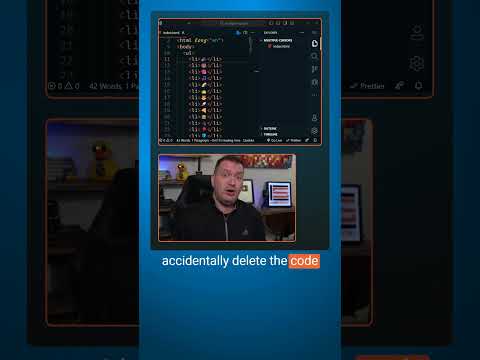
Have you ever been in-between git commits, you add some code and save it, close VS Code and come back the next day to refactor some code and accidentally delete the code you added yesterday. It was never committed so git can’t help you. But did you know that VS Code now saves all of your local history for you? All saves and undo/redos are right here under the Timeline. You can go back to any state and see the diff. Even the accidentally deleted uncommitted code.
_____________________________________
ðŸ› ï¸ Tools I use:
🟠codeSTACKr Theme: https://marketplace.visualstudio.com/items?itemName=codestackr.codestackr-theme
🟠STACKr Code Font (Exclusive to my VS Code Course – https://vsCodeHero.com)
🟠SuperHero Extension Pack: https://marketplace.visualstudio.com/items?itemName=codeSTACKr.superhero-extensions
_____________________________________
💖 Show support!
PayPal: https://paypal.me/codeSTACKr
_____________________________________
👀 Watch Next:
Playlist: Web Development For Beginners – https://www.youtube.com/watch?v=Ez4yHS2dsN8&list=PLkwxH9e_vrAJ0WbEsFA9W3I1W-g_BTsbt
_____________________________________
Web & Graphic Designer, Blogger, Musician, Evil Clown. I also code websites and promote people for a living. Still kind of a jerk, though. Approach with food.
Web & Graphic Designer, Blogger, Musician, Evil Clown. I also code websites and promote people for a living. Still kind of a jerk, though. Approach with food.
“ This full-length interview will show you what a data science interview is like. This is a great video for anyone currently in the job-market for a data-focused role. It is also a solid video for anyone who wants a better understanding of the machine learning process. They cover topics that include building a dataset for training/testing purposes, feature vectorization, and model implementation details. Consider pausing after the question and thinking about how you would answer them.
Interviewer: @KeithGalli
Interviewee: @KylieYYing
âï¸ Contents âï¸
âŒ¨ï¸ (0:00:00) Video overview & format
âŒ¨ï¸ (0:02:13) Introductory Behavioral questions
âŒ¨ï¸ (0:07:46) Social media platform bot issue task overview
âŒ¨ï¸ (0:15:26) What are some features we should investigate regarding the bot issue?
âŒ¨ï¸ (0:25:02) Classification model implementation details (using feature vectors)
âŒ¨ï¸ (0:41:38) What would a dataset to train models to detect bots look like? How would you approach collecting this data?
âŒ¨ï¸ (0:51:38) Technical implementation details (python libraries, cloud services, etc)
âŒ¨ï¸ (0:56:01) Any questions for me?
âŒ¨ï¸ (1:03:42) Post-interview breakdown & analysis
🎉 Thanks to our Champion and Sponsor supporters:
👾 Nattira Maneerat
👾 Heather Wcislo
👾 Serhiy Kalinets
👾 Erdeniz Unvan
👾 Justin Hual
👾 Agustín Kussrow
👾 Otis Morgan
—
Learn to code for free and get a developer job: https://www.freecodecamp.org
Read hundreds of articles on programming: https://freecodecamp.org/news
Web & Graphic Designer, Blogger, Musician, Evil Clown. I also code websites and promote people for a living. Still kind of a jerk, though. Approach with food.
“ 🦸 Become A VS Code SuperHero Today: https://vsCodeHero.com
🧑ðŸ¾ðŸ¤ðŸ§‘🽠Join my Discord developer community: https://discord.gg/A9CnsVzzkZ
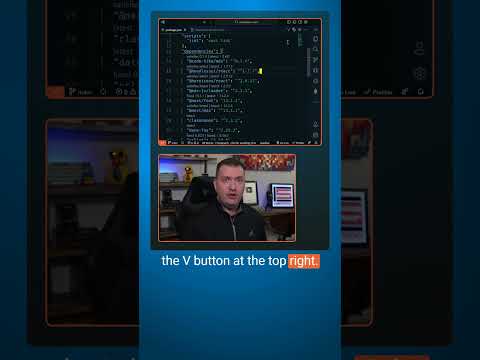
Ever wonder how out of date the packages in your project might be??
Just install the Version Lens VS Code extension.
Open your package.json and click the V button at the top right.
You can see all of the latest version.
Want to upgrade to the latest? Just click the latest button, save the file, then run npm install to upgrade to the latest packages.
_____________________________________
ðŸ› ï¸ Tools I use:
🟠codeSTACKr Theme: https://marketplace.visualstudio.com/items?itemName=codestackr.codestackr-theme
🟠STACKr Code Font (Exclusive to my VS Code Course – https://vsCodeHero.com)
🟠SuperHero Extension Pack: https://marketplace.visualstudio.com/items?itemName=codeSTACKr.superhero-extensions
_____________________________________
💖 Show support!
PayPal: https://paypal.me/codeSTACKr
_____________________________________
👀 Watch Next:
Playlist: Web Development For Beginners – https://www.youtube.com/watch?v=Ez4yHS2dsN8&list=PLkwxH9e_vrAJ0WbEsFA9W3I1W-g_BTsbt
_____________________________________
Web & Graphic Designer, Blogger, Musician, Evil Clown. I also code websites and promote people for a living. Still kind of a jerk, though. Approach with food.
Web & Graphic Designer, Blogger, Musician, Evil Clown. I also code websites and promote people for a living. Still kind of a jerk, though. Approach with food.
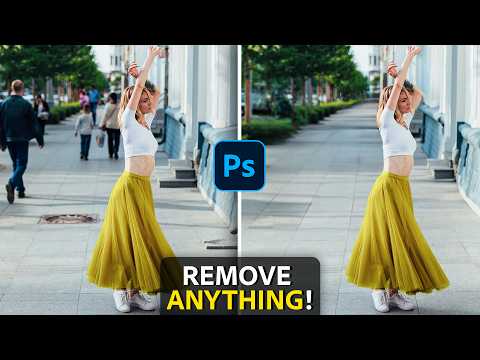
“ Remove ANYTHING From a Photo in Photoshop with this
new groundbreaking A.I.-powered Tool!
This game-changing feature harnesses the power of machine learning to effortlessly remove unwanted objects while preserving the integrity and depth of complex backgrounds.
Say goodbye to tedious editing and hello to the future of image manipulation.
Join us as we explore the revolutionary Remove Tool in Photoshop and learn how to transform your photos like never before!
I hope you learn a lot!
🎯 SUBSCRIBE to get more amazing Photoshop tutorials!
â–º https://hi.switchy.io/Subscribe-to-PTC
📘 INDEX – Remove Anything From a Photo in Photoshop
00:00 – Introduction
00:41 – How To Get The Remove Tool
00:49 – How To Use The Remove Tool
01:15 – How Does The Remove Tool Compare To Content-Aware?
02:07 – “Remove After Each Stroke” Option
02:58 – The Remove Tool Preserves Edges
04:01 – Remove AC Units From Buildings
04:37 – Remove All Distracting Elements From Photos
05:40 – Remove Blemishes with The Remove Tool
06:07 – Remove Flyaway Hair
06:34 – Remove Complicated Objects
07:25 – Remove Tourists from Vacation Photos
06:34 – Remove Complicated Objects
08:20 – Use The Remove Tool Alongside Other Tools
10:08 – Remove a Chainlink Fence from a Photo
10:36 – Remove Eyebrows and Eyes with The Remove Tool
🔗 LINKS:
My New Podcast â–º https://www.youtube.com/playlist?list=PLSCxMu0u2UgkgbMn789nx9-iPA-dxTyAd
Premium Tutorials â–º http://ptcvids.com/shop
Become an Adobe Stock Contributor â–º https://swiy.co/Stock-Contributor
Web & Graphic Designer, Blogger, Musician, Evil Clown. I also code websites and promote people for a living. Still kind of a jerk, though. Approach with food.
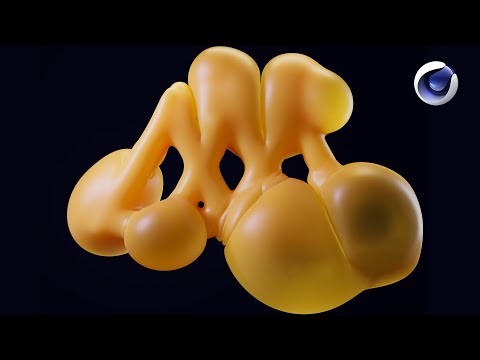
“ Cinema 4D 2023.2 is bloated with new features including the ability to control balloon inflation simulations using vertex maps! Watch as EJ Hassenfratz walks you through how to generate geometry that is ready for balloon-ficiation.
Download The Free Cinema 4D Project File Here!
https://www.schoolofmotion.com/blog/cinema-4ds-answer-to-inflation
â›° Cinema 4D Basecamp – https://som.bz/3yMKrmc
ðŸš£â™€ï¸ Cinema 4D Ascent – https://som.bz/42iQGM1
🎒 All School of Motion Courses – https://som.bz/3SUg5Yb
Web & Graphic Designer, Blogger, Musician, Evil Clown. I also code websites and promote people for a living. Still kind of a jerk, though. Approach with food.
Web & Graphic Designer, Blogger, Musician, Evil Clown. I also code websites and promote people for a living. Still kind of a jerk, though. Approach with food.
“ âš¡ï¸ Get an Unlimited License of E-Prism for $49 here: https://bit.ly/EPRISM
🔥 E-Prism is a digital version of the 10 most used physical Lens Filters: https://bit.ly/EPRISM
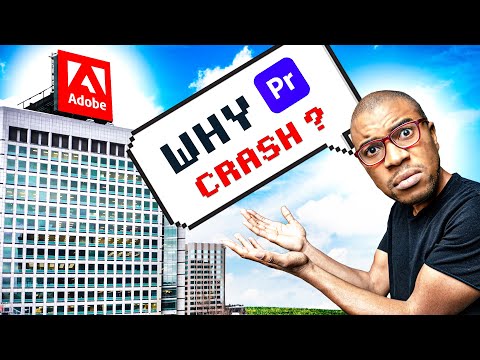
We made it to Adobe Headquarters in California! To ask a couple questions.
Adobe flew a couple of us out for a feedback conference earlier that week. It was basically 24 hours of a bunch of us critiquing Premiere Pro + AE and offering our suggestions on behalf of the editing community.
Later that week after the conference I scheduled this meeting with my bro Ivo.
âž¡ï¸ Reach out to Josh Olufemii on Instagram: https://www.instagram.com/madebyolufemii
âž¡ï¸ Subscribe Here: https://www.youtube.com/c/OlufemiiTuts?sub_confirmation=1
Web & Graphic Designer, Blogger, Musician, Evil Clown. I also code websites and promote people for a living. Still kind of a jerk, though. Approach with food.
Disclaimer: The views expressed herein are solely those
of Eric Brooks. They do not necessarily
reflect those of his employers, friends, contacts, family, or even his pets (though my cat,
Puddy,
seems to agree with me on many key issues.). In accordance to my terms of use, you hereby
acknowledge my right to psychoanalyze you, practice accupuncture, and mock you incessantly
with every visit. As the user, you also acknowledge that the author has been legally declared
a "Problem Adult" by the Commonwealth of Pennsylvania, and is therefore not
responsible for any of his actions. ALSO, the political views and products advertised on this site may/may not reflect the views of Puddy or myself, so please don't take them as an endorsement. We just need to eat.
🔴 FULL EPISODE