[#AfterEffects #Video] 5 SECRETS To Cinematic Sound Design (Premiere Pro Tutorial)

5 SECRETS To Cinematic Sound Design (Premiere Pro Tutorial)

By Cinecom.net
Published: Jul 07, 2021


Cinecom.net Learn about 5 sound design tips, tricks and hack that will make your videos more cinematic. An Adobe Premiere Pro tutorial video ft. Hollyland LARK 150


    HOW TO VOTE FOR PREMIERE BASICS

  1. Go to https://cinecom.info/MinersGenk
  2. Create an account (takes 1 minute)
  3. Click the <3 on the video
    HOW TO PARTICIPATE

  1. Shoot a short video ~30s focusing on your city sounds and make a short BTS video
  2. Upload them to your YouTube, Facebook, or Instagram
  3. Upload the links of your content to their campaign website (https://cinecom.info/FMCSZ)

Eric Brooks

Eric Brooks

Web & Graphic Designer, Blogger, Musician, Evil Clown. I also code websites and promote people for a living. Still kind of a jerk, though. Approach with food.

More Posts - Website

Follow Me:Add me on XAdd me on FacebookAdd me on LinkedInAdd me on PinterestAdd me on YouTubeAdd me on Instagram

[#Adobe #Design] How to Put Video Inside Text in Adobe Premiere Pro

How to Put Video Inside Text in Adobe Premiere Pro CC (2022)

By AdobeMasters
Published: Dec 05, 2022


AdobeMasters Today I am going to go over how to put a video inside of text in Adobe Premiere Pro.

Written Tutorial: https://adobemasters.net/how…

Check out my Premiere Pro Course: https://www.udemy.com/course/…

Get near unlimited stock footage and premiere pro templates:http://1.envato.market/c/…

Join the Community at: https://adobemasters.net/

Subscribe to see more Adobe related content, videos every other day.

Eric Brooks

Eric Brooks

Web & Graphic Designer, Blogger, Musician, Evil Clown. I also code websites and promote people for a living. Still kind of a jerk, though. Approach with food.

More Posts - Website

Follow Me:Add me on XAdd me on FacebookAdd me on LinkedInAdd me on PinterestAdd me on YouTubeAdd me on Instagram

Top Headlines for February 19, 2023

Headline News from the Associated Press

Eric Brooks

Eric Brooks

Web & Graphic Designer, Blogger, Musician, Evil Clown. I also code websites and promote people for a living. Still kind of a jerk, though. Approach with food.

More Posts - Website

Follow Me:Add me on XAdd me on FacebookAdd me on LinkedInAdd me on PinterestAdd me on YouTubeAdd me on Instagram

[#Script #Coding] Top 10 VS Code Keyboard Shortcuts You Must Learn to Use!

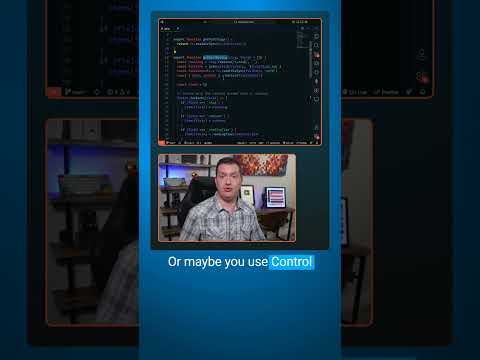
Top 10 VS Code Keyboard Shortcuts You Must Learn to Use!

By codeSTACKr
Published: Feb 13, 2023


codeSTACKr Become A VS Code SuperHero Today: https://vsCodeHero.com

Join my Discord developer community: https://discord.gg/A9CnsVzzkZ

    VS Code Tip of the Day
    Here are the top 10 VS Code keyboard shortcuts you must learn to use!

  • Number 10: Control + P to quickly open files.
  • Number 9: Control + K S to save all open files.
  • Number 8: Control + / on to quickly comment out code.
  • Number 7: Control + B to toggle the sidebar.
  • Number 6: Control + D to select the next occurrence of the current selection.
  • Number 5: Control + Shift + L to select all occurrences of the current selection.
  • Number 4: Alt + Up/Down Arrow to move lines up or down.
  • Number 3: Alt + Shift + Up/Down Arrow to duplicate lines up or down.
  • Number 2: F2 to rename a symbol and all occurrences.
  • Number 1: Control + Shift + P to open the command palette, or did you know you can just press just F1?!?


Eric Brooks

Eric Brooks

Web & Graphic Designer, Blogger, Musician, Evil Clown. I also code websites and promote people for a living. Still kind of a jerk, though. Approach with food.

More Posts - Website

Follow Me:Add me on XAdd me on FacebookAdd me on LinkedInAdd me on PinterestAdd me on YouTubeAdd me on Instagram

[#AfterEffects #Video] Cheap Filmmaking Hacks That Make you PRO!

Cheap Filmmaking Hacks That Make you PRO!

By Cinecom.net
Published: Feb 03, 2023


Cinecom.net Every filmmaker needs to have these tools and gadgets! From DIY to cheap filmmaking gear, using these in your video production will take your video skills to the next level.

Download Unlimited Video Assets

  • http://storyblocks.com/Cinecom
  • More Filmmaking Gear Videos

  • https://www.youtube.com/play…
  • Elements of the Faroes (Shot on Old Nikkors)

  • https://www.youtube.com/watch?v=Uopcm4X0kFs
  • Read More

  • https://www.cinecom.net/gear/7-filmmaking-tools-need/

  • Eric Brooks

    Eric Brooks

    Web & Graphic Designer, Blogger, Musician, Evil Clown. I also code websites and promote people for a living. Still kind of a jerk, though. Approach with food.

    More Posts - Website

    Follow Me:Add me on XAdd me on FacebookAdd me on LinkedInAdd me on PinterestAdd me on YouTubeAdd me on Instagram

    Top Headlines for February 18, 2023

    Headline News from the Associated Press

    Eric Brooks

    Eric Brooks

    Web & Graphic Designer, Blogger, Musician, Evil Clown. I also code websites and promote people for a living. Still kind of a jerk, though. Approach with food.

    More Posts - Website

    Follow Me:Add me on XAdd me on FacebookAdd me on LinkedInAdd me on PinterestAdd me on YouTubeAdd me on Instagram

    [#Script #Coding] A Visual IDE for React?!? The Future of Web Development

    A Visual IDE for React?!? The Future of Web Development

    By codeSTACKr
    Published: Jan 02, 2023


    codeSTACKr Download Codux Free at https://codux.hopp.to/codeSTACKr

    Codux is a visual IDE, or graphical editor, that allows you to build and edit React components like you’re drawing on a canvas.

    You’ll see and have access to the code right inside Codux, but it shouldn’t replace your existing IDE. In fact, the goal of Codux is not to replace your existing IDE, but to turbo charge your React workflow by giving you the ability to visually edit as well. As you make changes in Codux you’ll see the updates happen in real time in your existing IDE.

    Codux supports any React project built using TypeScript with styling in CSS, Sass, or CSS Modules, and has full Git integration.

    Another great feature is the ability to develop components in isolation. That’s generally how we build in React. We build components. But we usually can’t see each component rendered in isolation. With Codux, you can work on each component individually, see each component in various states, then bring them all together where needed.

    Because this is a graphical user interface, even someone with little to no React experience can easily update and edit components visually and be confident that the updates reflected in the code will be accurate.

    Just like in your browser’s dev tools, you’ll see all of the CSS styles for each element and you can edit them. This makes memorizing every CSS property name and value a thing of the past. Every property is visually available to edit. And these changes take place immediately in your code base.

    To get started, you can import almost any existing React project or create a new project from scratch.

    Become A VS Code SuperHero Today: https://vsCodeHero.com

    Join my Discord developer community: https://discord.gg/A9CnsVzzkZ


    Timestamps

  • 00:00 – Intro
  • 02:25 – Building a YouTube Clone from scratch using Codux
  • 02:42 – Create a new project
  • 05:51 – Building the header component
  • 07:23 – Building the side menu bar component
  • 08:19 – Building the filters bar component
  • 09:33 – Building the video card component
  • 10:42 – Defining TypeScript props for your video card component
  • 11:39 – Putting it all together in our App component
  • 13:20 – Run the application locally to test
  • 13:34 – Giving the YouTube clone a new name
  • 13:49 – Commit our changes and publish to GitHub


  • Eric Brooks

    Eric Brooks

    Web & Graphic Designer, Blogger, Musician, Evil Clown. I also code websites and promote people for a living. Still kind of a jerk, though. Approach with food.

    More Posts - Website

    Follow Me:Add me on XAdd me on FacebookAdd me on LinkedInAdd me on PinterestAdd me on YouTubeAdd me on Instagram

    [#Script #Coding] Best VS Code Extension for Tailwind CSS

    Best VS Code Extension for Tailwind CSS

    By codeSTACKr
    Published: Jan 06, 2023


    codeSTACKr Become A VS Code SuperHero Today: https://vsCodeHero.com

    Join my Discord developer community: https://discord.gg/A9CnsVzzkZ

    Just like the built-in feature of VS Code that lets you fold lines of code. The Inline Fold extension lets you fold code… well, Inline.

    Let’s look at a couple of use cases:
    – I love using Tailwind CSS! But a lot of developers hate how cluttered it makes your markup look.
    – Just install the Inline fold extension and you’re markup will look clean again.
    – From the command palette, use the “Inline fold: Toggle” command to fold and unfold your class names.
    – Alternatively, just move your cursor to those lines and it will automatically unfold so that you can easily edit them.
    – Another use case is when you have SVG’s in your markup.
    – You’ll have to go into your settings and change the Regex match statement.
    – After that, all of the SVG’s in your markup will be folded, giving you a much cleaner experience.


    Eric Brooks

    Eric Brooks

    Web & Graphic Designer, Blogger, Musician, Evil Clown. I also code websites and promote people for a living. Still kind of a jerk, though. Approach with food.

    More Posts - Website

    Follow Me:Add me on XAdd me on FacebookAdd me on LinkedInAdd me on PinterestAdd me on YouTubeAdd me on Instagram

    Top Headlines for February 17, 2023

    Headline News from the Associated Press

    Eric Brooks

    Eric Brooks

    Web & Graphic Designer, Blogger, Musician, Evil Clown. I also code websites and promote people for a living. Still kind of a jerk, though. Approach with food.

    More Posts - Website

    Follow Me:Add me on XAdd me on FacebookAdd me on LinkedInAdd me on PinterestAdd me on YouTubeAdd me on Instagram

    [#AfterEffects #Video] How to Make a Text Reveal in After Effects | Easy Tutorial

    How to Make a Text Reveal in After Effects | Easy Tutorial

    By Learnin5
    Published: Jun 01, 2016


    Learnin5 In this tutorial, we learn how to make a slick text reveal in After Effects quickly with trim paths! Make text fill a path in a sleek flat design. Easy text reveal for an intro!

    If you enjoyed the video, make sure to subscribe to give your next video that added value in 5 minutes or less.

    Get the latest version of After Effects here:

    Find more of my work at www.Vimeo.com/NWPfilms

    Want to request a video? Tweet to me!
    http://www.twitter.com/Learnaein5

    Eric Brooks

    Eric Brooks

    Web & Graphic Designer, Blogger, Musician, Evil Clown. I also code websites and promote people for a living. Still kind of a jerk, though. Approach with food.

    More Posts - Website

    Follow Me:Add me on XAdd me on FacebookAdd me on LinkedInAdd me on PinterestAdd me on YouTubeAdd me on Instagram

    Proudly powered by WordPress
    Creative Commons License
    EricBrooks.Com® is licensed under a Creative Commons License.

    Disclaimer: The views expressed herein are solely those of Eric Brooks. They do not necessarily reflect those of his employers, friends, contacts, family, or even his pets (though my cat, Puddy, seems to agree with me on many key issues.). In accordance to my terms of use, you hereby acknowledge my right to psychoanalyze you, practice accupuncture, and mock you incessantly with every visit. As the user, you also acknowledge that the author has been legally declared a "Problem Adult" by the Commonwealth of Pennsylvania, and is therefore not responsible for any of his actions. ALSO, the political views and products advertised on this site may/may not reflect the views of Puddy or myself, so please don't take them as an endorsement. We just need to eat.


    Connect